Each business may want to see specific data on deal cards. So Cocopipe allows its users to customize deal cards by their preferences. It's really easy to do so. You can follow the steps below.
Deal card customization
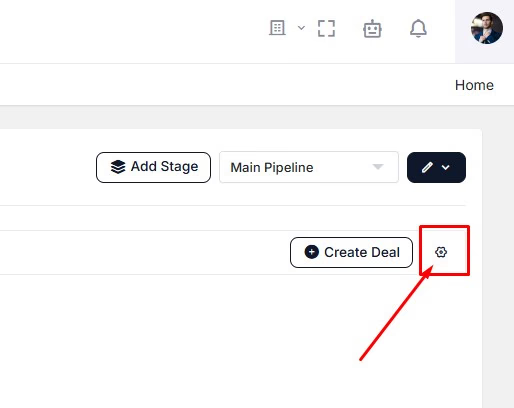
Click on the Settings icon which is next to "Create Deal" button on the Deals page.
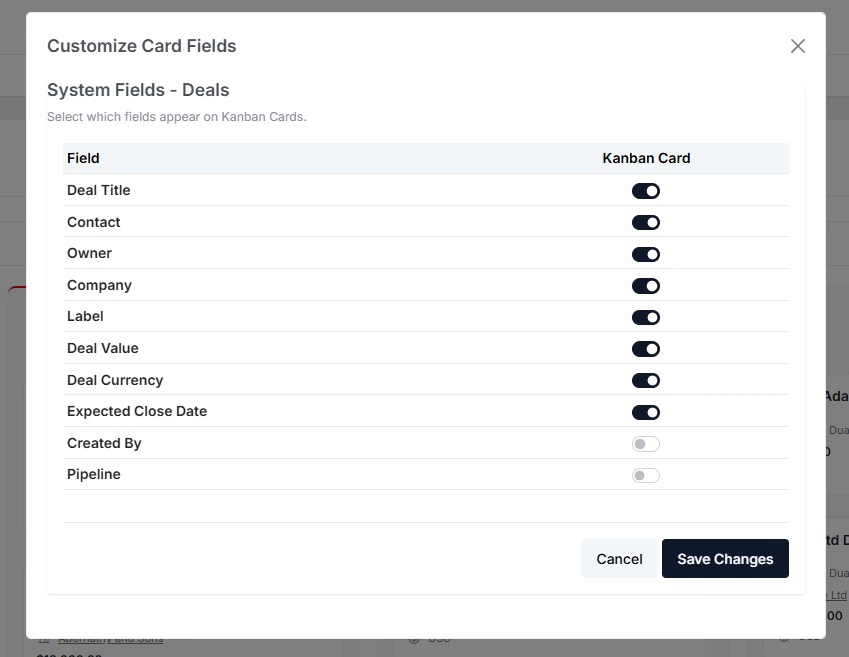
Toggle off/on buttons based on the data you want to see on deal cards.
You can also adjust whether your custom fields are displayed on the deal cards.