You may have various services or products and want to track them on separate pipelines. In this article, you can explore how to manage pipelines including creating and managing.
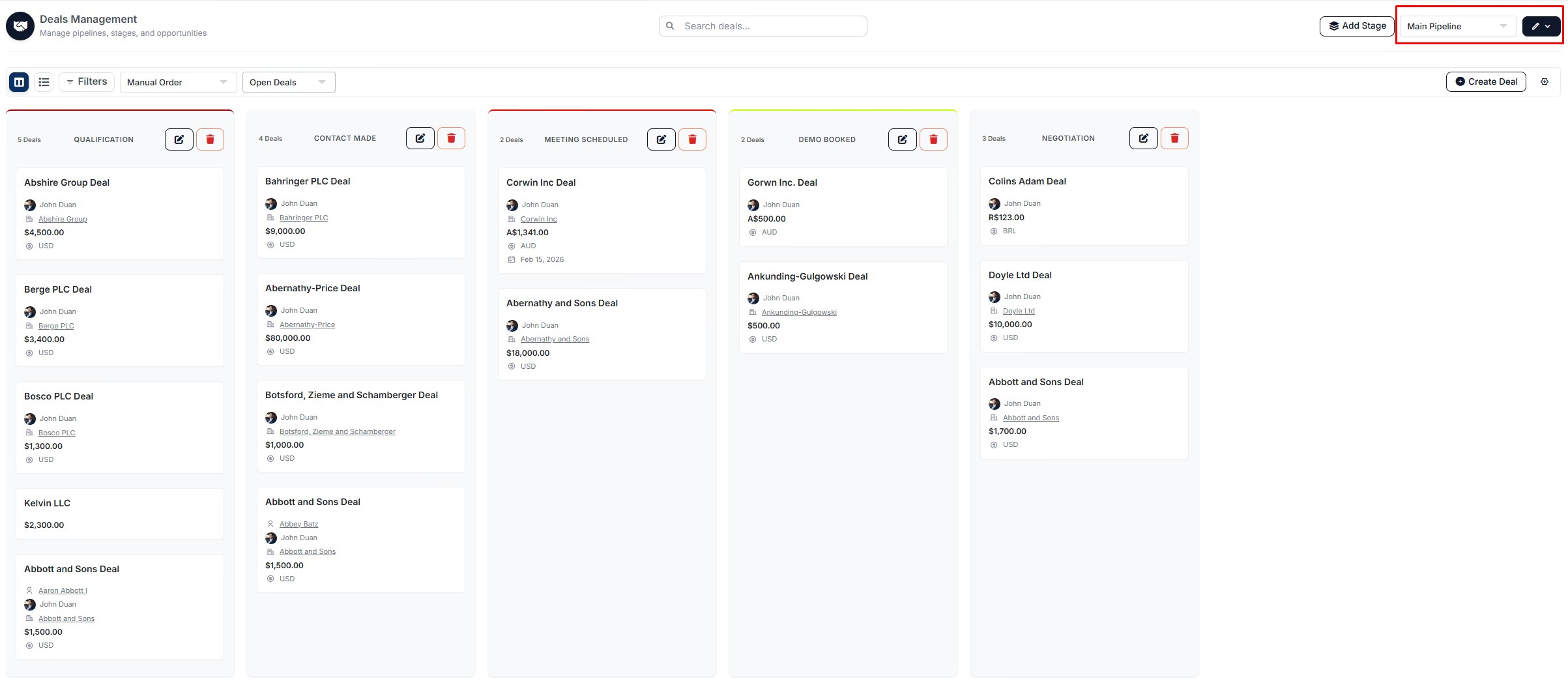
All the pipeline management is handled in the highlighted section on the screenshot above. You can switch between pipelines by clicking on the current pipeline name.
Creating a new pipeline
In order to create a new pipeline:
Click on the pencil icon
On the dropdown menu, click on "New pipeline"
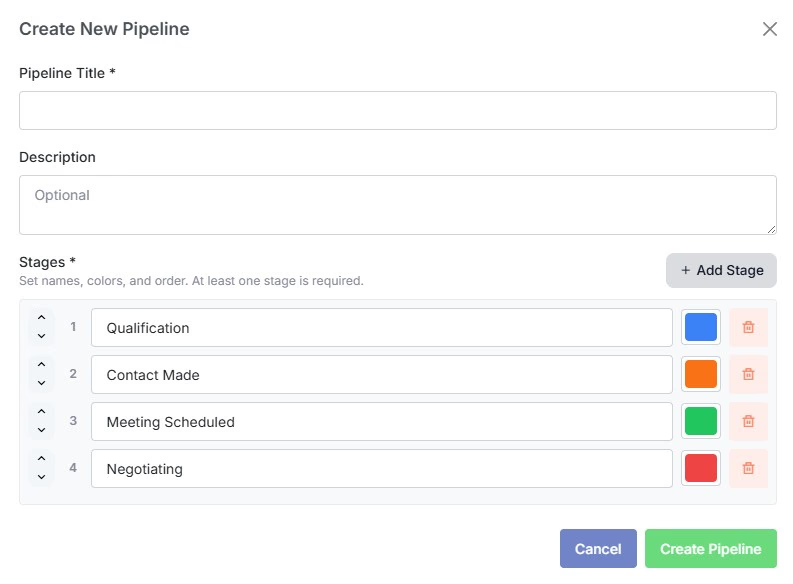
Now, you will see the window above. You can enter your new pipeline's title, description and adjust stages, including their titles and colors. You can also add new stages by clicking on the "Add Stage" button.
Once you have sorted everything, click on "Create Pipeline" button. Then, your new pipeline will be created.
You can also watch the video below that shows how to create a new pipeline:
Switch between pipelines
GIF