Changelog
New updates, improvements, and fixes for Cocopipe.
Improvements: Tasks just got a major upgrade
We’ve made a series of improvements to Tasks to make planning, organizing and following up on work easier across Cocopipe.
From a cleaner personal task view to project-based Kanban settings, priorities and richer task descriptions, Tasks now gives you more control over how your team gets work done.
A new My Tasks experience
Tasks now includes a dedicated My Tasks view.
Instead of searching through everything in the workspace, you can quickly focus on the tasks assigned specifically to you and see what needs your attention.
Every task now belongs to a project
Projects are now required when creating a task.
This gives every task a clear place in your workspace and makes it easier to organize work as the number of tasks, projects and team members grows.
Project-based Kanban settings
Kanban settings can now be configured per project instead of applying the same setup everywhere.
Different projects often follow different workflows, so each project can now have a Kanban structure that better reflects the way that work actually moves.
Task priorities
You can now assign priorities to tasks, making it easier to separate urgent work from everything else and understand what should be handled first.
Richer task descriptions
Task descriptions now support a richer editing experience.
You can structure and format task information more clearly instead of relying on plain text, making longer briefs, instructions and context much easier to read.
Task activity notifications
We’ve expanded activity notifications around Tasks so it’s easier to keep up with changes and important updates without constantly checking individual tasks.
An improved Task List view
The Task List experience has also been updated to make scanning and managing tasks more straightforward, especially as your workspace starts handling larger amounts of work.
Your sidebar preference now stays with you
Cocopipe now remembers whether you leave the sidebar open or closed instead of resetting the layout every time you sign in.
It’s a small change, but one that makes navigating Tasks and the rest of Cocopipe feel much more consistent.
A better foundation for managing work
These updates are part of a broader effort to make Tasks more than a simple to-do list.
With projects, personal task views, priorities, flexible Kanban workflows, activity tracking and richer descriptions, Tasks is becoming a more connected part of how work gets organized and completed inside Cocopipe.
Improvements: Notes
Notes tool got the following improvements:
Exporting notes as PDF.
Categorizing.
Visual improvements.
New formats: Text, Heading, List, Checklist, Quote, Delimiter, Code.
Note Status: You can make notes open or closed.
Note Categories
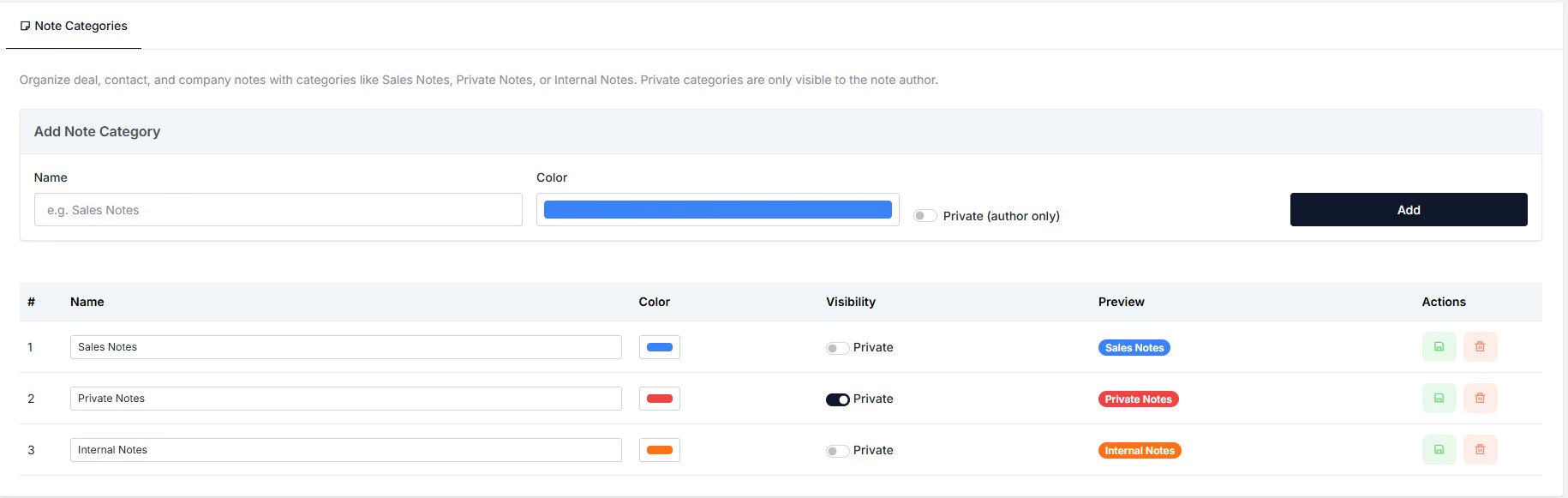
Now you can create private or shared categories for your notes.
Notes are now more connected and customizable
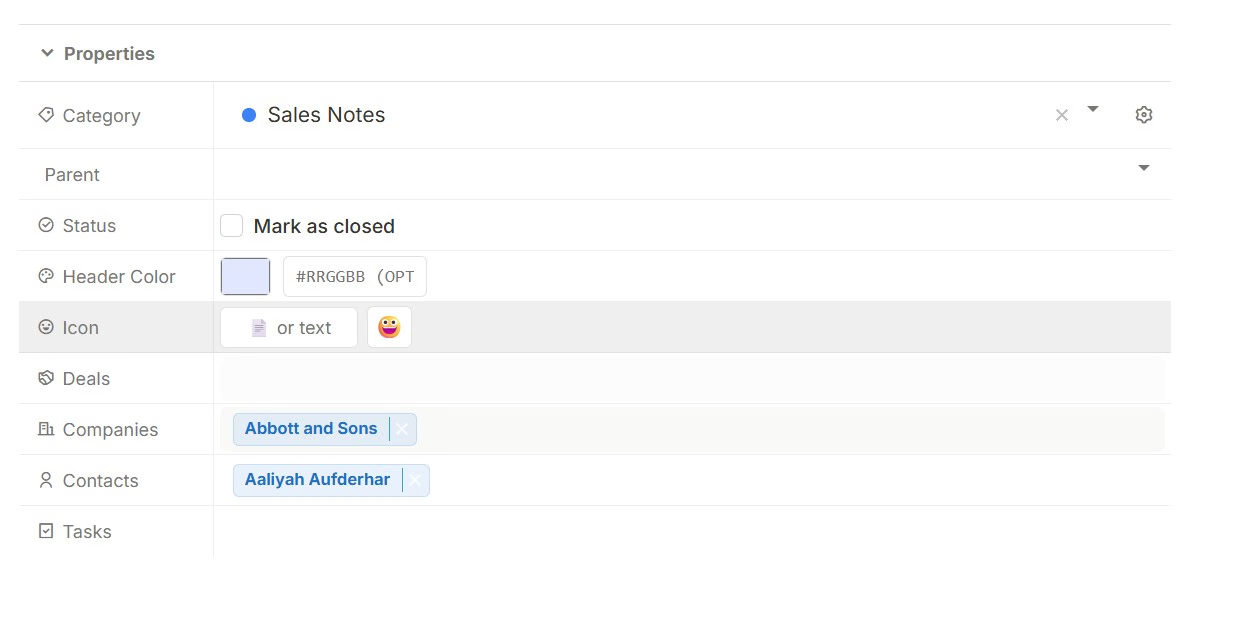
Notes in Cocopipe can now be linked to even more of your work.
Previously, you could connect notes to Deals and Contacts. Now, you can also link them directly to Tasks.
This means Notes can now be connected across:
Deals
Contacts
Tasks
Whether you're keeping context about an opportunity, adding details about a contact or attaching important information to a task, your notes can stay exactly where they are most useful.
Make your notes easier to recognize
We've also added more customization options to Notes.
You can now:
Assign custom icons to individual notes
Customize the color of the note header
These small visual changes make it easier to organize your notes, distinguish different types of information and find what you're looking for faster.
Notes are now more connected, more flexible and easier to make your own.
Introducing Bookings: Turn meetings into pipeline
Bookings is now available in Cocopipe.
Booking a meeting should be the start of a sales process, not another admin task.
With Bookings, you can now create and share scheduling pages directly from Cocopipe, making it easier for prospects and customers to find a time that works while keeping everything connected to your CRM.
Create multiple event types
Set up different booking pages for demos, discovery calls, onboarding sessions, consultations or any other type of meeting your team runs.
Each event type can have its own availability, duration and booking settings.
Automatically create CRM records
A booked meeting can do more than fill your calendar.
Choose to automatically create a contact, company or deal when someone books with you, so new opportunities can enter your pipeline without manual data entry.
Use custom booking questions
Collect the information you need before the meeting even starts.
Add custom questions to your booking forms to understand the prospect, qualify the opportunity or prepare for the conversation ahead of time.
Share your own booking link
Every event gets its own simple Cocopipe booking link, such as:
cpipe.ink/m/onboarding
Share it in emails, your website, social profiles or anywhere prospects can reach you.
Keep control of your availability
Define when you're available and let Cocopipe handle the scheduling around it.
Bookings can be managed from both the Bookings list and your Calendar, giving you a clear view of upcoming meetings.
Let attendees reschedule or cancel
Plans change.
Attendees can reschedule or cancel their meetings without needing to go back and forth with your team.
Stay updated with notifications
Get notified when new meetings are booked or when something changes, so your team always knows what is happening.
Less scheduling, more selling
Bookings brings scheduling closer to the rest of your sales process.
Instead of using one tool for meetings, another for CRM and manually connecting everything afterwards, Cocopipe can turn a booking directly into the next step in your pipeline.
Introducing Short Links
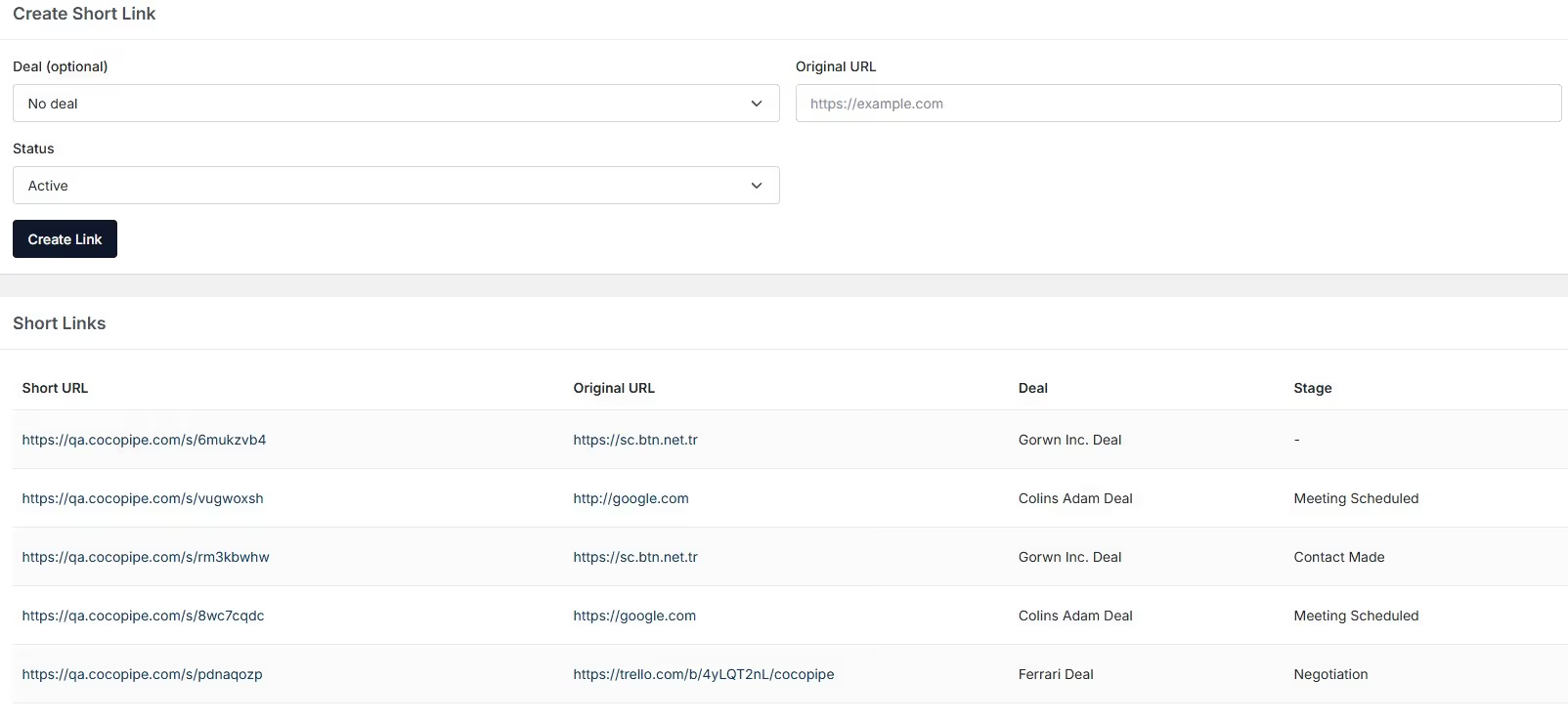
Happy new year! Let's start the new year with great news. We are happy to introduce Short Links module, which allows you to create short links and track them.
Create your short links, and manage them on dashboard.
Connect your links with a deal, company, or contact.
Track whether your link is clicked, if so, how many times.
You can create short links in contact or deal details page.
For those, who connect a short link to a deal or contact, we will use the outcome for scoring leads.
Forms and Gmail
Forms
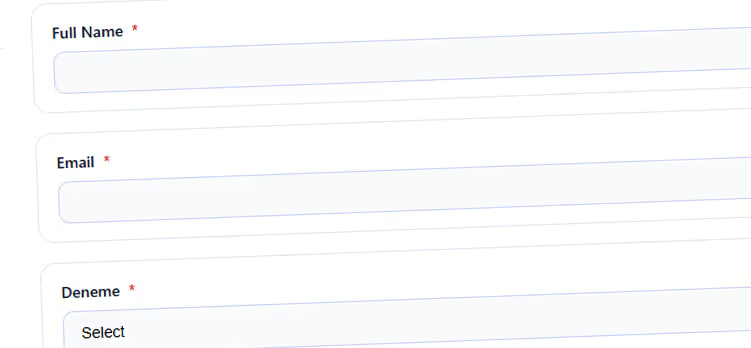
We are pleased to announce that we bring Forms to make your job much easier. As you know, Cocopipe's long-term vision is to become an all-in-one CRM platform and we stick with this path. With Forms, you can collect data from your prospects, leads, website visitors and customers.
Customize your forms' header, logo and colors.
Add textfield, dropdown, singleoption, multioption, and richtext area.
Make any fields as required.
Track your submissions on Cocopipe.
Make it Whitelabel.
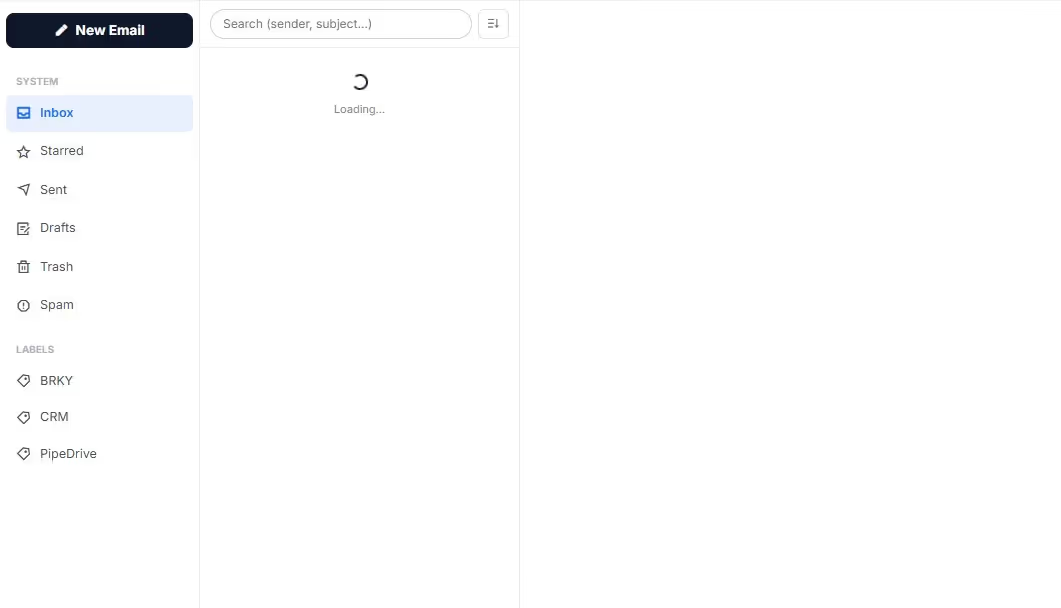
Now, you can connect your email to Cocopipe and start using our emailing interface.
Note: Cocopipe doesn't store your creditiantials, or emails. All connections are managed by Google with API.
Connect your emails.
Track your emails;
How many times do it opened?
Are the links included in the email are clicked? If so, how many times?
Notes v1
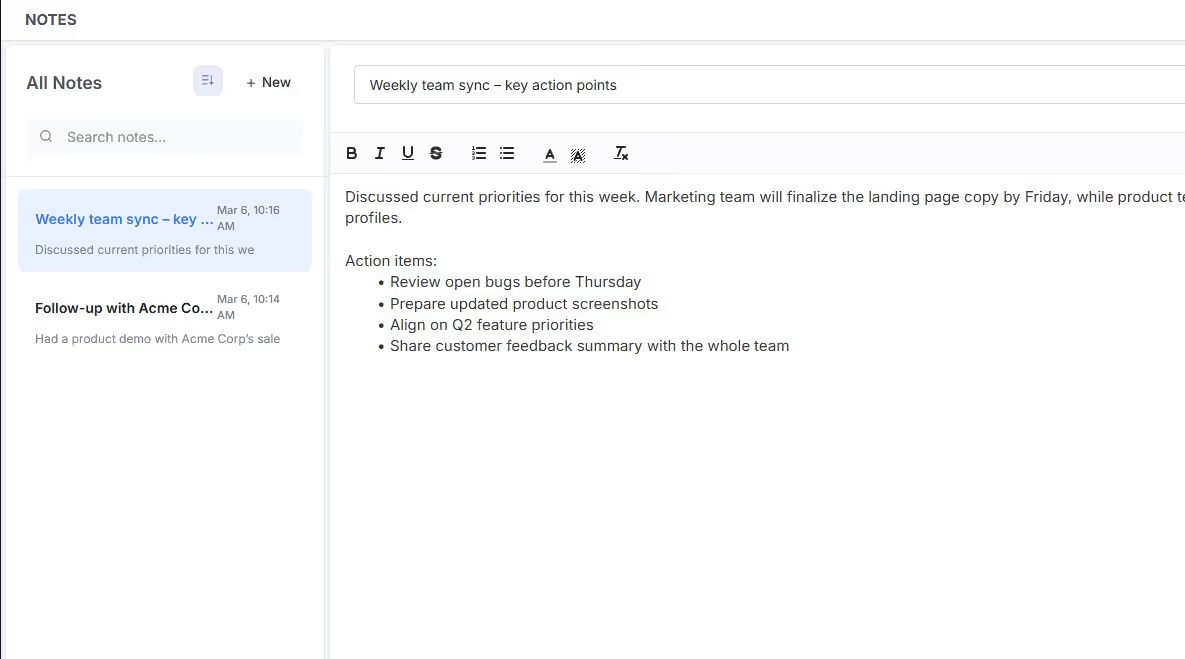
Added "Notes" to Cocopipe. Now, you can take your notes on Cocopipe with great features below:
Create your notes with a richtext tool.
Link your notes to contacts, deals or tasks.
Delete or close your notes.
Use the search box to avoid getting lost among hundreds of notes.
Quotes & Invoices
Quotes
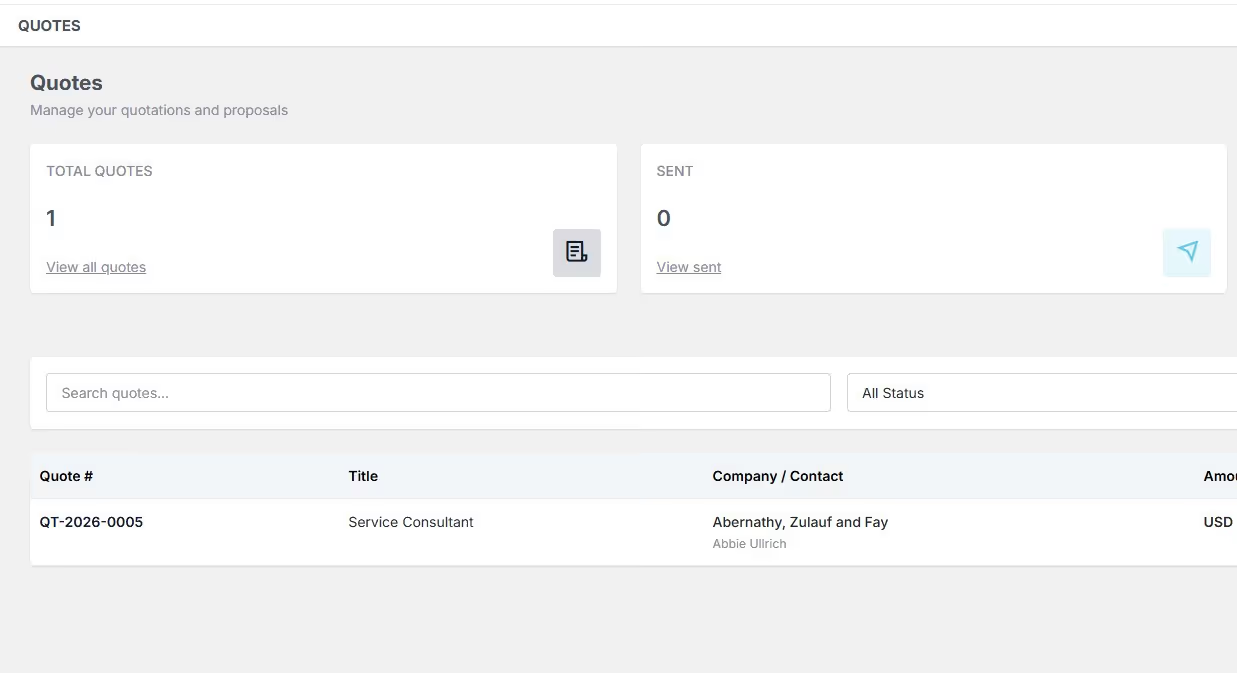
Create and send quotes to your customers and leads.
Connect these quotes to deals or contacts.
Set different currencies.
Get unique ID for each quote.
Download your quotes as PDF.
Set up an expiration date.
Track whether your quote is accepted or rejected by the recipient.
Invoices
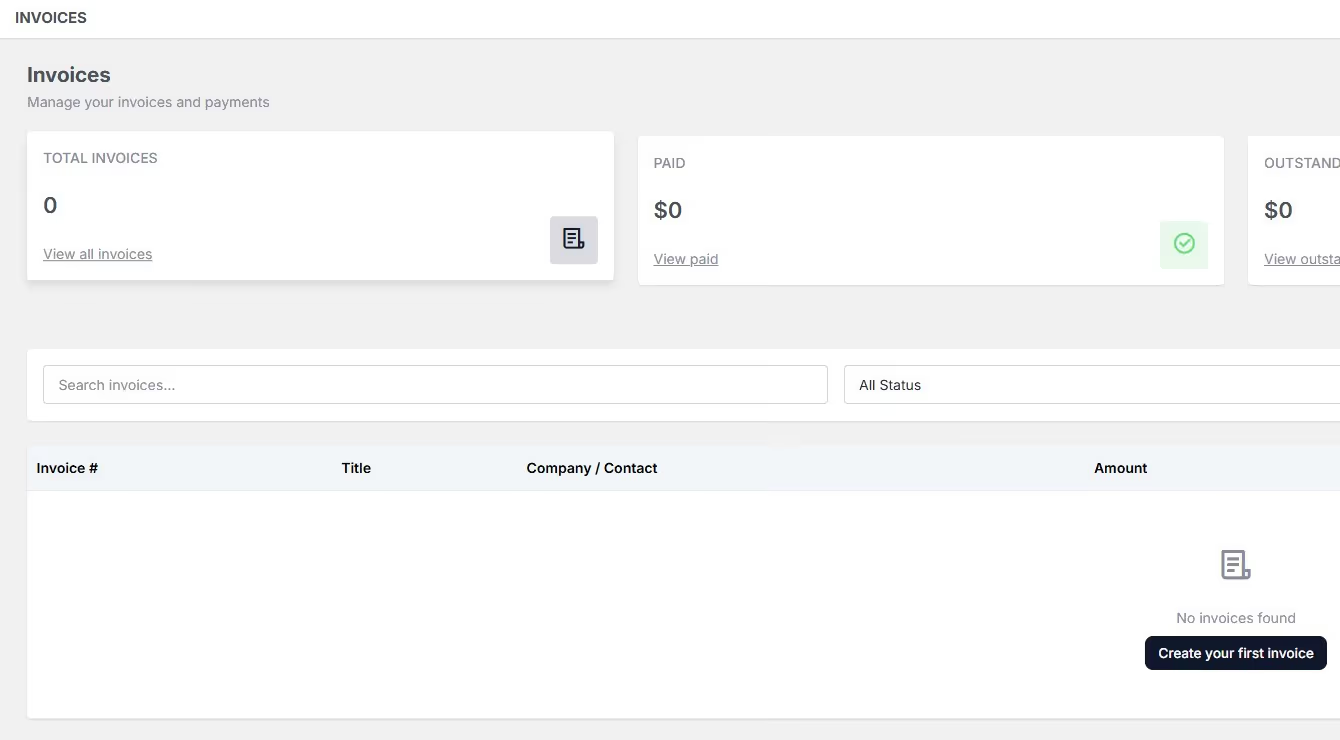
Create custom invoice templates.
Send your invoices.
Get unique ID for each invoice.
Mark your invoices as Paid, Pending or Draft.
Track your invoices via visual reports.
Task management v1
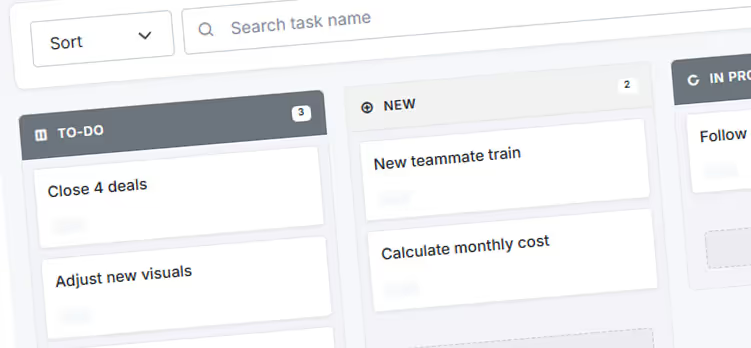
We are happy to announce that task management tool v1 has been released. In a long-term vision, it'll becoma a full function project management tool, so our customers will not have to use another tool to operate, track and manage their projects. It's version came with core task management functions.
Create new tasks
Assign tasks, or collaborate with others.
Communicate with your teammates via comments.
Never miss a task and deadline via notifications.
Track the history of a task with activity logs.
Select Kanban or list views for listing tasks.
Get visual reports for task management system.
Introducing Calendar Management
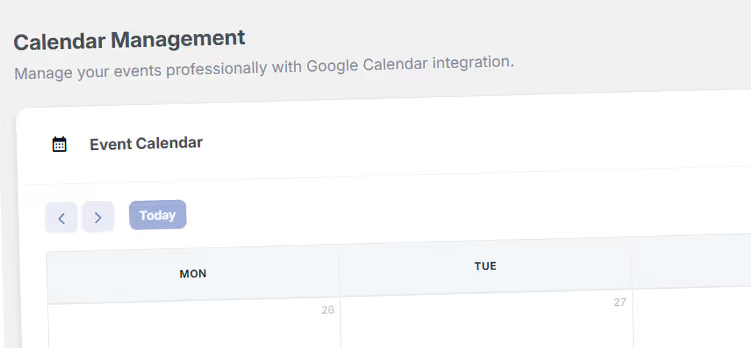
Integration for Google Drive and Calendar.
Track and monitor your daily, weekly and monthly calendar.
Create new meetings and events.
Add Google Meet links to events.
Cocopipe v0.0.1
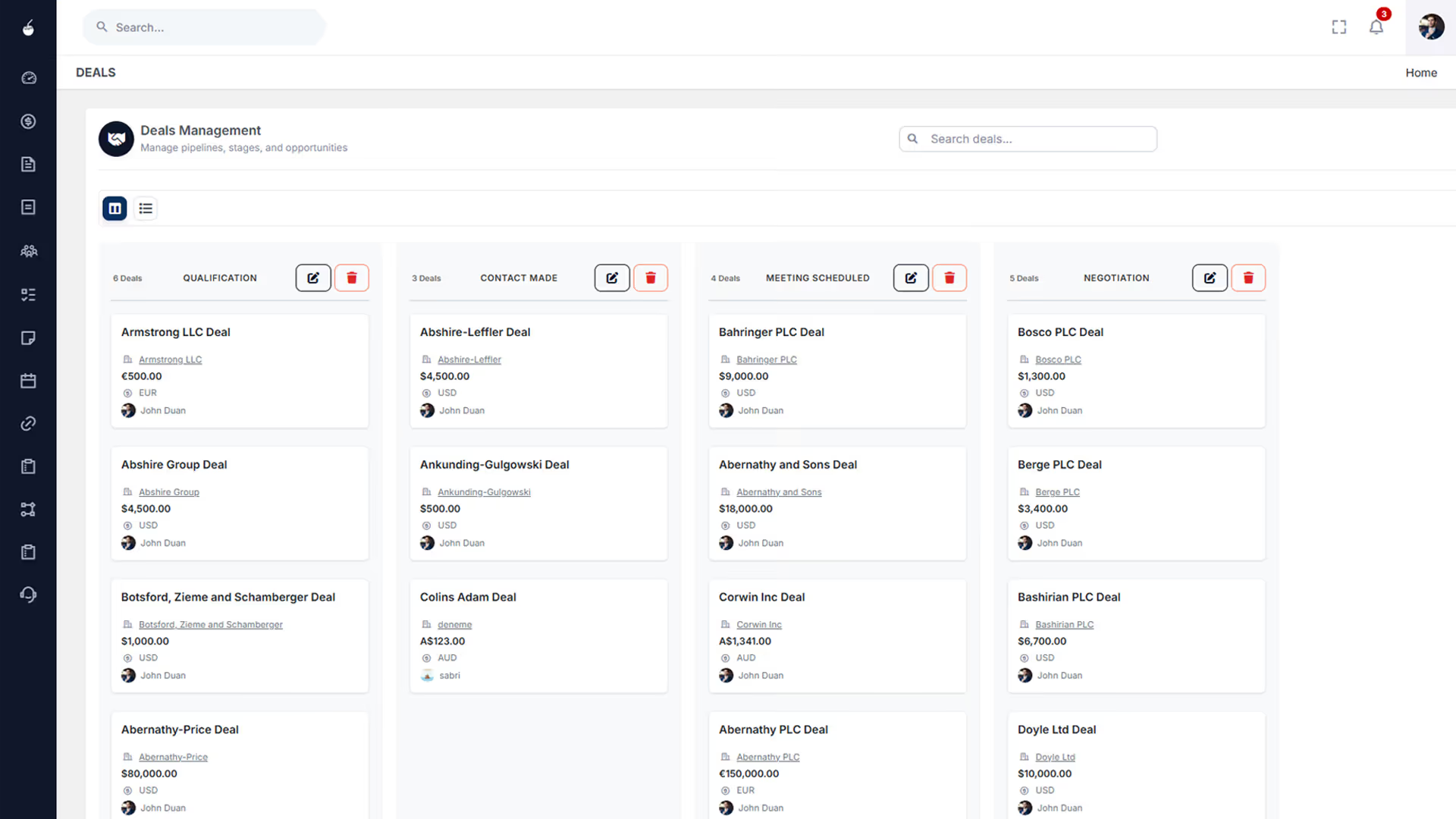
The very first version and MVP of Cocopipe has been published. In this version:
Introduced core sales management tool features.
Pipeline Management
Deal Management
Kanban and List views.
Core CRM features.
Contact management.
Label Management.