Make it easier to book and faster to close
Let prospects choose a convenient time while Cocopipe turns every booking into a contact, company, or deal your team can follow up on.
From booking to pipeline
From custom fields to next actions, the workflow is built to keep deal context centralized and execution friction low at every step.
A booked meeting should move the deal forward
Most appointment scheduling software stops after adding a meeting to your calendar. Cocopipe connects the booking to the sales work that comes next.Choose what each event type should create, and every new booking can automatically add the contact, company, or deal your team needs.
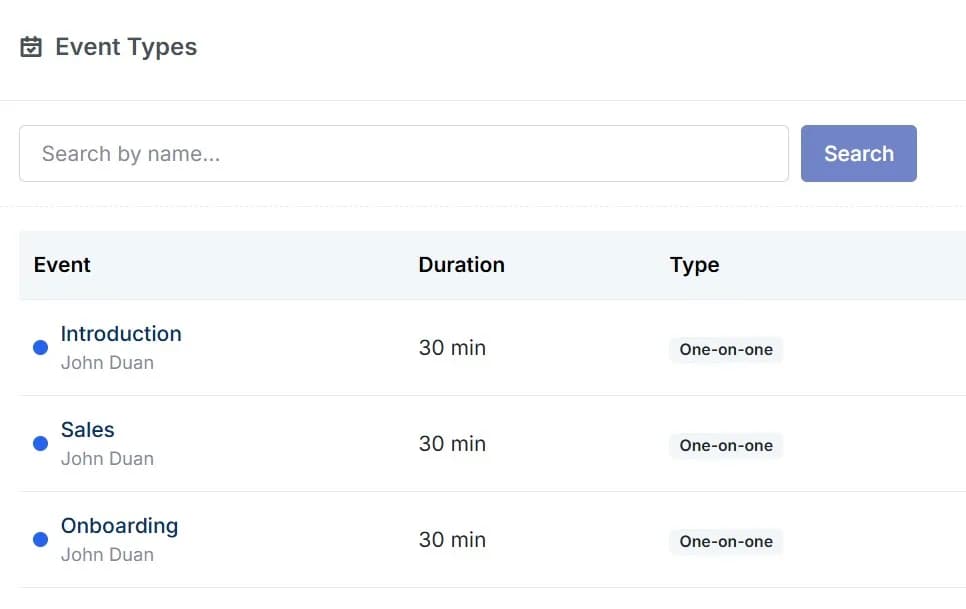
Capture every new conversation
Turn booking details into organized CRM records without copying names, emails, or meeting information between tools.
Start every meeting with the context you need
Customize the questions for each event type and collect the information your team needs before the conversation begins.Ask about the prospect’s company, goals, current process, requirements, budget, or any other detail that could help you understand the opportunity.Your team can spend less time gathering basic information and more time discussing how to solve the prospect’s real needs. Invitees can also add guests when other decision makers or team members need to join.
Stay available without losing control of your calendar
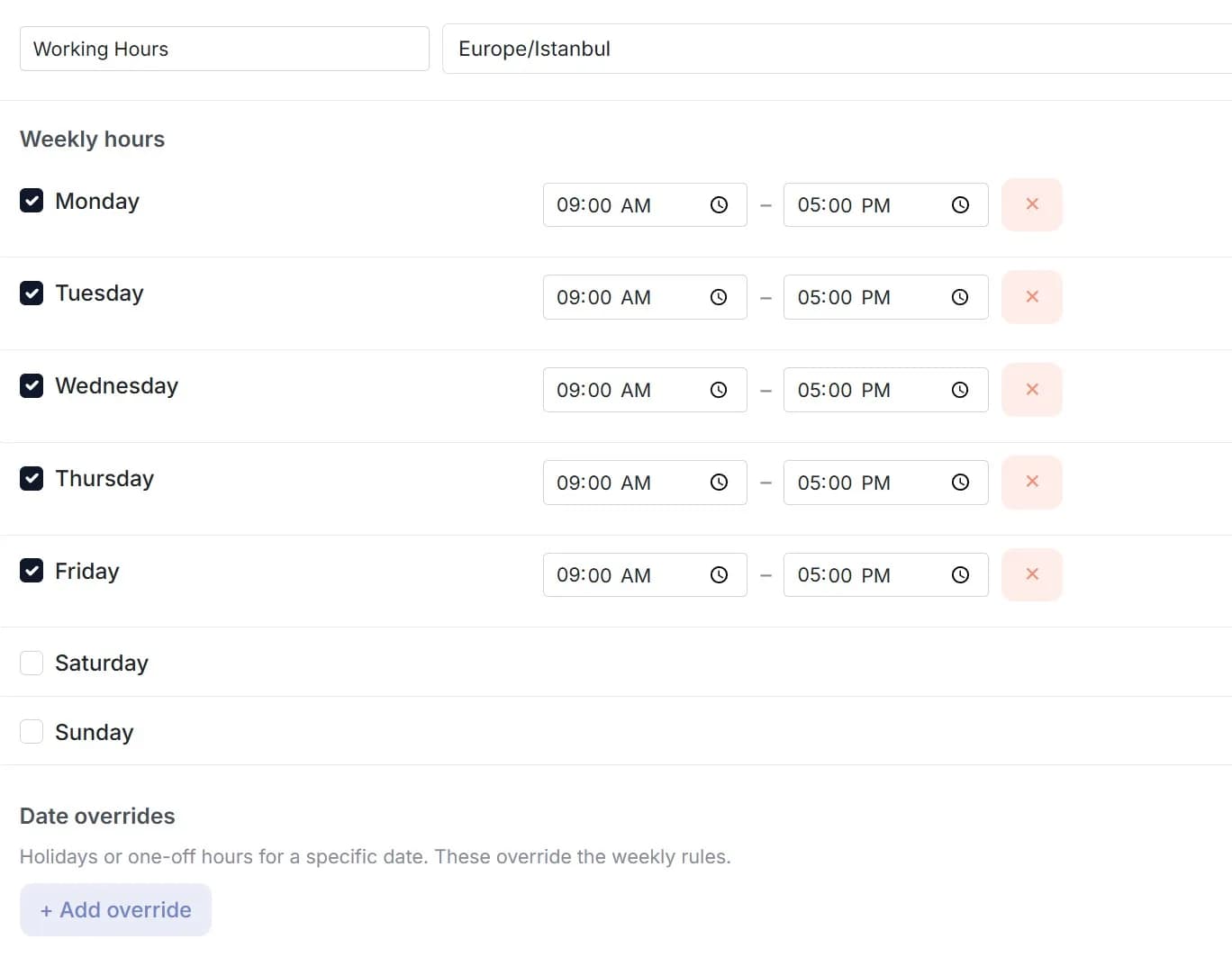
Choose exactly when people can schedule time with you and create reusable availability schedules that fit the way you work.
Set your regular weekly hours, make changes for specific dates, and define booking rules that protect your focus throughout the day.
You can control:
- Buffer time before and after meetings
- Minimum notice required before booking
- How far in advance people can schedule
- Daily booking limits
- Available start time intervals
- Time zone settings
- Event visibility
- Whether bookings require confirmation
SIMPLE FROM THE FIRST BOOKING
Turn a booking link into a sales opportunity in three steps.
Create your event
Choose the meeting duration, location, availability, questions, notifications, and the CRM records Cocopipe should create.
Share your booking link
Send your short Cocopipe link directly or add it anywhere prospects might be ready to schedule a conversation.
Continue the conversation from your CRM
When someone books, Cocopipe creates the records you selected and can place the new deal in the appropriate pipeline and stage.
Help the right prospects reach your team at the right moment
Inbound demo requests
Let interested prospects book a demo while their intent is high, then create a new sales opportunity automatically.
Discovery and consultation calls
Use custom questions to understand what the prospect needs before the conversation begins.
Client onboarding sessions
Give new customers a clear way to schedule their onboarding sessions while keeping every appointment visible to your team.
What changes after Cocopipe Bookings
Before Cocopipe
- Extra cost for scheduling tools
- Filling CRM manually
- Moving data from one place to another
- No visible meetings for team
After Cocopipe
- No extra cost for Cocopipe Booking
- Create records automatically
- Manage all your meetings in one platform
- Make your meetings visible among your teams
Frequently asked questions
Turn more booked meetings into sales opportunities
Create your booking link, let prospects choose a convenient time, and keep every meeting connected to your sales pipeline.
Free for 2 seats · No credit card required